
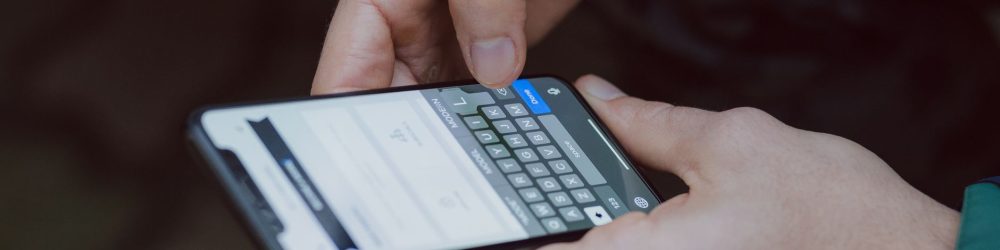
Raise your hand if you’ve ever seen autocorrect turn ‘bonjour’ into ‘bonbons’ or ‘merci’ into something frankly improbable. For people with dysorthographia, it’s an everyday scene: sometimes hilarious, often frustrating. But here’s the thing: beyond the jokes, autocorrect has become a real companion for people with dysorthographia. Not a shameful crutch, but a tool that changes the game. Let’s explore together how to turn this technological ally into a real asset, without guilt or bad conscience.
Why autocorrect is not ‘cheating’
Let’s start by debunking the myth: using autocorrect isn’t ‘cheating’ or ‘taking shortcuts’. It’s a bit like wearing glasses when you need vision correction. Nobody asks a visually impaired person to stop wearing their glasses in order to ‘really’ read. The same goes here.
Dysorthographia is a neurological difficulty in automating spelling rules. The dysorthographic brain simply works differently: not less, differently. Autocorrect, for its part, helps bridge the gap between what you want to write and what your brain naturally produces. It’s a facilitator, not a surrender.
And let’s be honest: even good spellers use autocorrect. The difference? They don’t feel guilty about it. It’s time you had the same permission.
Autocorrect: an imperfect but useful tool
Of course, autocorrect isn’t perfect. It has its quirks, its hallucinations, its mysterious translations. But remember: its job is not to teach you spelling. Its job is to let you write without being slowed down or blocked by errors.
Here’s how it really works:
- It recognises patterns. If you type ‘bonjur’, it guesses ‘bonjour’.
- It learns your habits. After a while, it understands your recurring errors, in particular letter inversions or the frequent omissions common among people with dysorthographia.
- It saves you time. No need to stop at every word to ask yourself ‘how is that spelt again?’
- It reduces anxiety. Knowing that a correction will get through, you write more freely.
Yes, sometimes it suggests absurd things. Yes, sometimes it refuses to correct what you wrote on purpose. It’s annoying. But it’s worth the trouble.
The different autocorrects and their strengths
There isn’t just one autocorrect. Each device and each platform has its own, and they’re not all equal.
The phone’s autocorrect (iOS/Android)
It’s often your first line of defence. It’s basic, sometimes aggressive (it forces corrections without always asking you), but it learns your patterns. Over time, it becomes almost telepathic. Most phones also let you create custom shortcuts: set up ‘bj’ to mean ‘bonjour’ and let the magic happen.
Email and browser spell checkers
Gmail, Outlook, Chrome: they have their own systems. They’re often ‘smarter’ than phone versions because they have access to more context. Gmail, for example, can recognise that you’re writing a professional email and adapt its suggestions.
Dedicated tools: Antidote, LanguageTool
If you want something more robust, these tools go further than a simple autocorrect. They analyse grammar, punctuation and style. For someone with dysorthographia, it’s like having a professional proofreader on your computer. Not free, but genuinely effective.
How to set up your autocorrect to maximise its help
Basic autocorrect works better when you set it up. Here are some practical tips:
Create custom shortcuts
If you always write ‘ca’ instead of ‘ça’, create a shortcut. The same goes for words you regularly get wrong. In your phone or computer settings, you can add custom replacements. Each time you type the code, the device replaces it automatically.
Train your autocorrect
When autocorrect suggests something right, accept it. When it gets it wrong, reject it. Over time, it understands your real errors and your true preferences. It’s a mutual learning process.
Turn on advanced spell checking
Many devices offer a ‘strict’ or ‘advanced’ mode for autocorrect. Explore the settings: you’ll be surprised by what you can fine-tune.
Accept that it’s a tool, not a magic solution
Autocorrect helps you, but it won’t turn you into a spelling champion overnight. And that’s fine. Its role is to let you communicate without friction, not to re-educate you.
Pitfalls to avoid
Of course, there are situations where autocorrect can play tricks on you:
- Professional or formal contexts. If you’re applying for a job or writing an administrative letter, always proofread after using autocorrect. Algorithms don’t understand professional context the way you do.
- Proper nouns and technical terms. Autocorrect will struggle with rare place names or specialist vocabulary. You may need to add these terms manually to your personal dictionary.
- Humour and wordplay. If you want to write ‘chelou’ on purpose, autocorrect will try to correct it to ‘chelou’ or ‘bizarre’. You have the last word: you’re the one who accepts or rejects its suggestion.
Dysorthographia and autocorrect: a new freedom
What many people with dysorthographia don’t say is that autocorrect has given them back their confidence. No more spending an hour writing a simple text to a friend because you’re stressing over every accent. No more avoiding social media because you fear other people’s spelling judgements.
With autocorrect, you can concentrate on what you really want to say, not on how to write it. And honestly, it’s liberating.
Many adults with dysorthographia tell us: “If I’d had autocorrect at school, everything would have been different.” That’s probably true. But you have it now. So make the most of it, without shame and without guilt.
At secondary school and sixth form: how to negotiate autocorrect
One specific point deserves attention: at school, autocorrect raises questions. Some teachers see it as a valuable aid (which it is). Others see it as a form of cheating. It’s a legitimate debate, but it needs framing.
If you’re a parent or teenager with dysorthographia, here’s how to approach the discussion with the school:
- Clarify the educational objective. Is spelling really the purpose of the task? Or are they testing comprehension, writing and argumentation instead? If it’s the latter, autocorrect doesn’t interfere.
- Propose a compromise. “Autocorrect can help me write, but I’ll still show my drafts so they can see my real work.”
- Document the need. If you have a diagnosis of dysorthographia (official or in progress), it’s a legitimate argument. When the speech and language therapist alone isn’t enough: mistakes to avoid in dysorthographia follow-up — talk about it with the professionals who support you.
Dysorthographia at secondary school: how digital tools are changing teenagers’ lives explores this question in more depth.
Frequently asked questions
Can autocorrect make my dysorthographia worse?
No. Autocorrect doesn’t stop you from learning. In fact, by freeing you from immediate spelling stress, it may even help you focus better on language and its patterns. It’s a bit like asking whether calculators have made maths worse: they’ve just changed what we expect from mathematicians.
Should I turn off autocorrect in order to improve?
Absolutely not. Improving your spelling is about training, practice and sometimes speech and language therapy follow-up, not suffering. Autocorrect doesn’t replace these efforts, it complements them. Keep using your spell checker and let the professionals help you progress alongside it.
What if my autocorrect doesn’t understand my specific errors?
That’s normal. Every person with dysorthographia has their own error profile. If your phone doesn’t pick up your patterns, train it patiently by accepting and rejecting suggestions, or switch to a more powerful tool such as Dysorthographia: the best apps and digital tools to help you progress.
To find out more
- Fédération Française des Dys (FFDys): the leading national association for dys disorders, including dysorthographia. They offer resources, support and advice on using suitable tools.
- INSERM (Institut National de la Santé et de la Recherche Médicale): to understand the neurobiological basis of dysorthographia and current research on assistive technologies.
- MDPH (Maison Départementale des Personnes Handicapées): can officially recognise dysorthographia and help you access adjustments, including the use of digital tools in a school setting.